


Draw your first sketch
8 minutes read
Published Updated

Watch
Highlights
- Pick a plane before you sketch.
- Draw a rectangle with the Rectangle tool.
- Type exact dimensions to size it.
- Constraints keep your sketch tidy.
Follow Along in Shapr3D
Open Shapr3D and try it as you watch.
Learn
Choose a plane, draw a rectangle, and see how a sketch becomes something you can build on.
Getting started with sketching
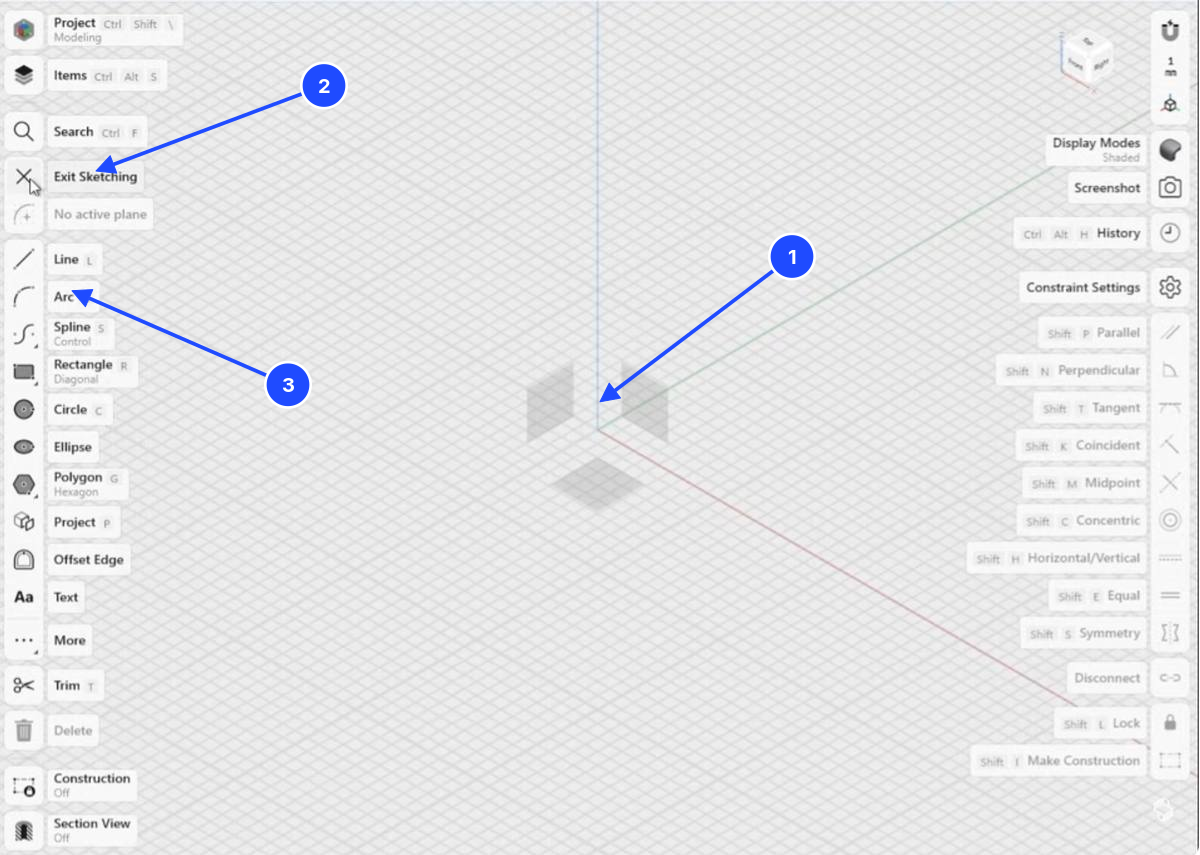
- Sketch plane - Sketches are created on a flat surface called a sketch plane. The plane determines the sketch's orientation in 3D space.
- Sketching mode - Enter sketching mode to access tools for creating and editing 2D geometry.
- Sketch geometry - Sketches consist of geometric elements such as lines, circles, and arcs.
Creating and editing sketches
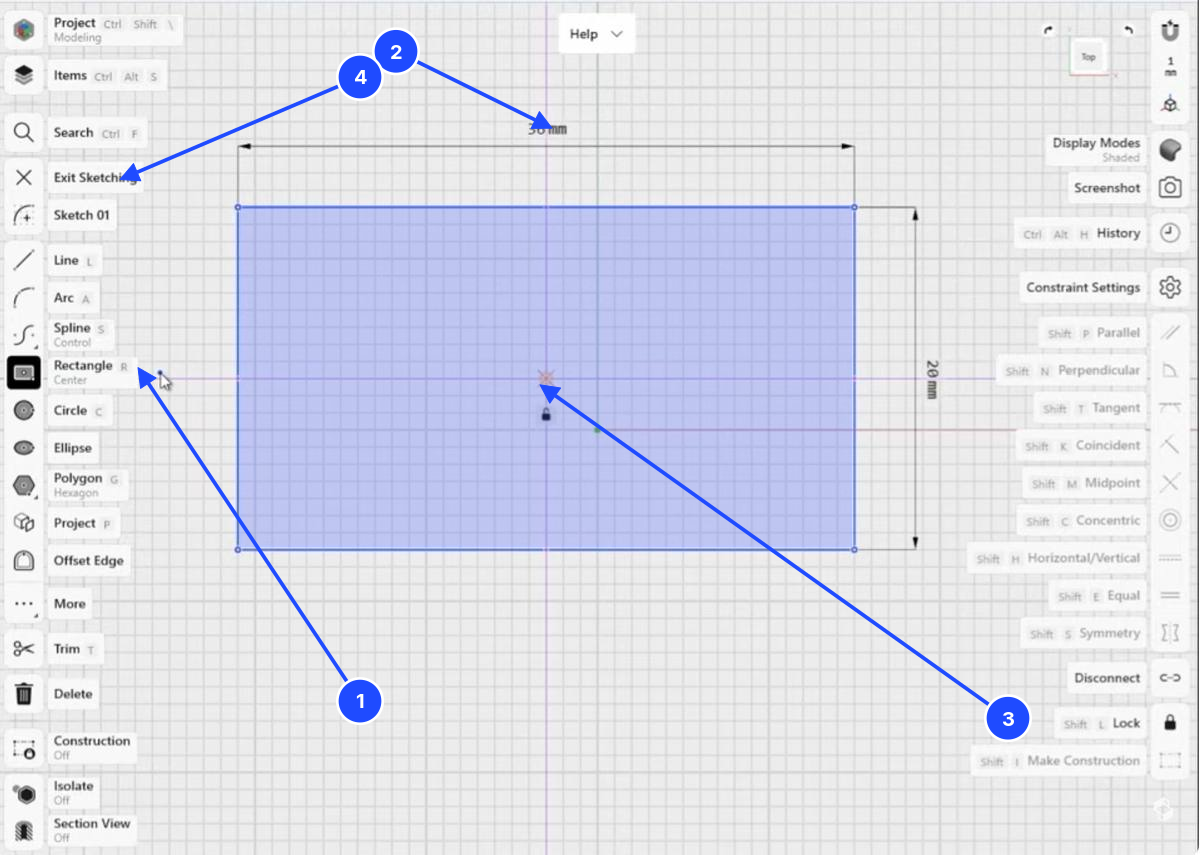
- Rectangle options - Some sketch tools offer different methods for creating the same shape. For example, you can create a rectangle from its center or opposite corners.
- Dimensions - Use dimensions to define the exact size of your sketch geometry.
- Sketch profile - When sketch elements enclose an area, they form a sketch profile. Shapr3D displays this area with blue shading.
- Exit Sketching - Leave sketching mode to continue working with your sketch in 3D space.
Good to know
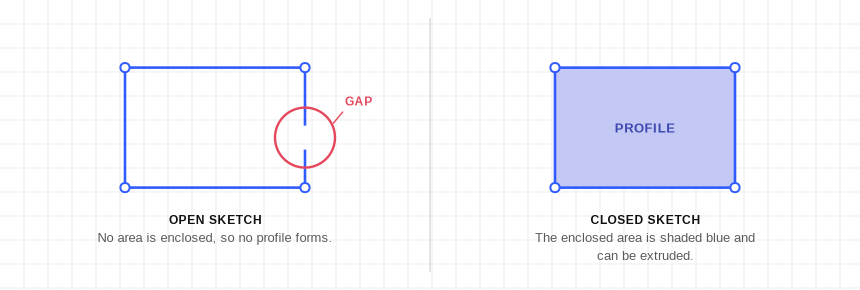
• Open vs. closed sketches - To extrude a sketch into a solid body, its geometry must enclose an area. Even a small gap can prevent a sketch profile from forming.
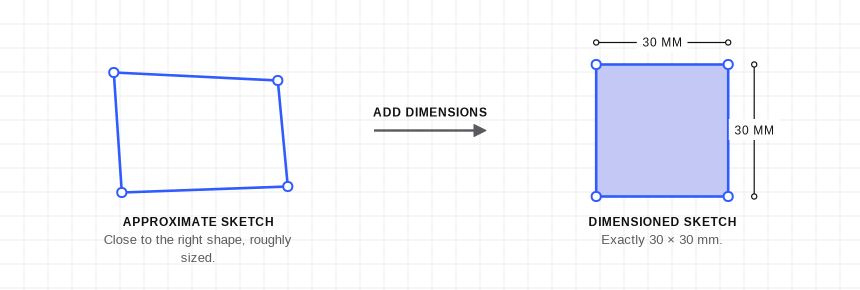
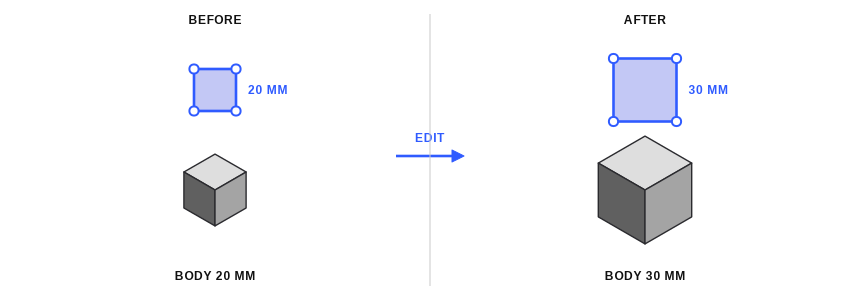
• Drawing vs. defining dimensions - You don't need to draw a shape at its exact size on the first attempt. Create the approximate shape, then adjust its dimensions for precision.
• Sketches are editable - You can return to an existing sketch to change its shape or dimensions. Changes can also update the 3D geometry created from that sketch.
Summary
- A sketch lives on a plane, so choose the plane first.
- The Rectangle tool draws a closed profile you can extrude.
- Typed dimensions make the sketch exact.